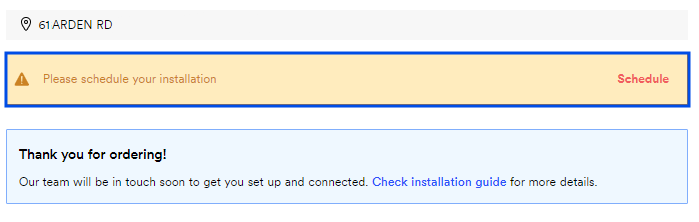
No problem. Whether you're rescheduling or canceling, you can do it all from your Ting account. If you cancel your appointment and need to book another, schedule your installation when you're ready.
Modify your installation appointment
Need to reschedule? No worries.
1. Start from your Ting dashboard
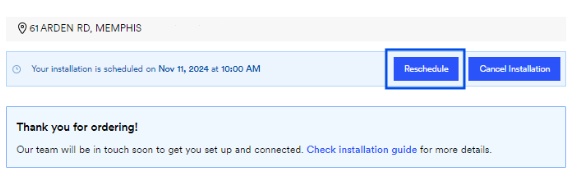
Log in to your Ting account and locate your installation details.
On your Plan overview,look for your Installation information.
Select Reschedule.
2. Set a new date
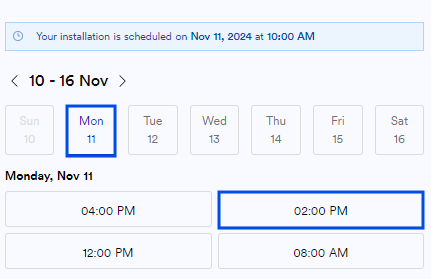
Pick a new date and time for your install.
Set a date and time
Use the calendar to choose adate and timethat works best for you.
Don't see a date that works?Use thearrow (>) to scroll forward through more options.
Installation Contact
Add the person that will be home for the entire installation.
They must be 18 or older.
Select Submit. You're all set!
Reminder
On installation day, we ask that a designated person over 18 be available for the entire appointment. All pets should be secured—for their safety and ours.
Cancel your installation appointment
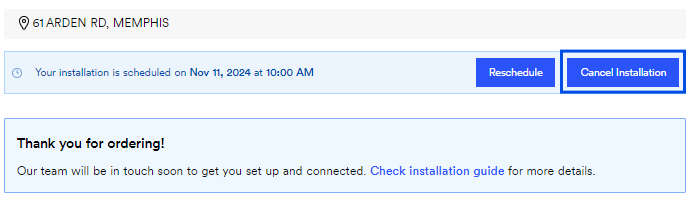
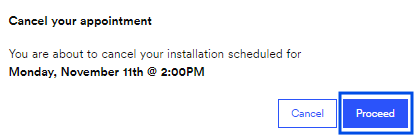
Not ready to schedule yet? You can cancel your installation appointment and order in just a few steps.
1. Start from your Ting dashboard
Log in to your Ting account and locate your installation details.