Help center
Contact Us
Help center
Contact Us

Help Center - Internet

Ordering Ting Internet

Scheduling your Installation Appointment
Other Articles in this Section
Bringing your Own Router to your Ting
Modify or Cancel Your Installation Appointment
Schedule your Installation Appointment in Memphis
Home 2 Gigabit Router Options

Scheduling your Installation Appointment

In this article
Schedule your installation with TingAlready ordered? Schedule your installationNeed to update your appointment?
Blazing fast internet is coming your way

On installation day, our technician will run the fiber line from the street to your home, set up your connection, and make sure everything’s working before they leave. The whole process takes about 90 minutes from start to finish.
‍The best part? You get to pick the installation time that works best for you.

In Memphis?

Your install works a little differently. Don't worry though, we’ve got you covered: Schedule your Memphis installation appointment.

Schedule your installation with Ting

New Ting account and ready to get started?  Let’s get your installation on the calendar.

1. Sign up for Ting Internet

Check if Ting is available in your area.

  • Head over to Ting.com and enter your home address.
  • Click Check availability.
2. Confirm availability

A pop-up will let you know if your home is fiber-ready.
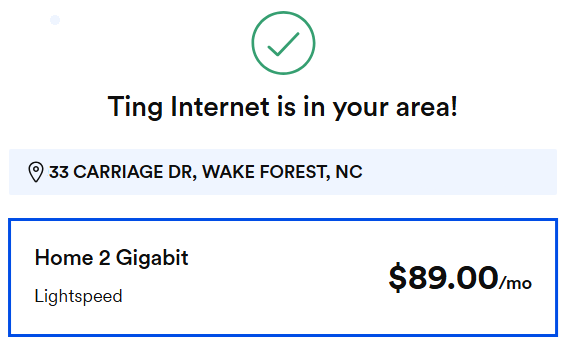
  • If your home is ready for service: Click a plan to start building your order.
  • If we’re not quite there yet: Join the Ting Waitlist and we’ll keep you in the loop when we’re in your area.
3. Build your internet plan

Pick the internet plan and Wi-Fi solution that works for you.

Internet plan

  • Select your internet plan.
  • click Continue.

Wi-Fi setup

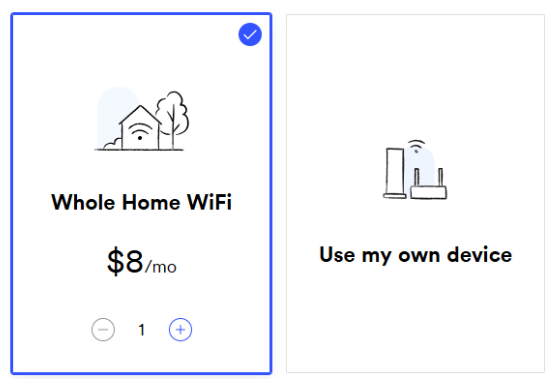
  • Want to rent a router? Select Whole Home Wi-Fi and tell us how many units you need.‍
  • Using your own router? Select Use my own device.
  • Click Continue to installation to move to the next step.
4. Tell us about your property

We’ll ask a few quick questions to prep for installation.

Ownership

  • If you rent, we’ll need your landlord’s contact information. We can’t install fiber without the property owner’s permission.
  • Select Continue.

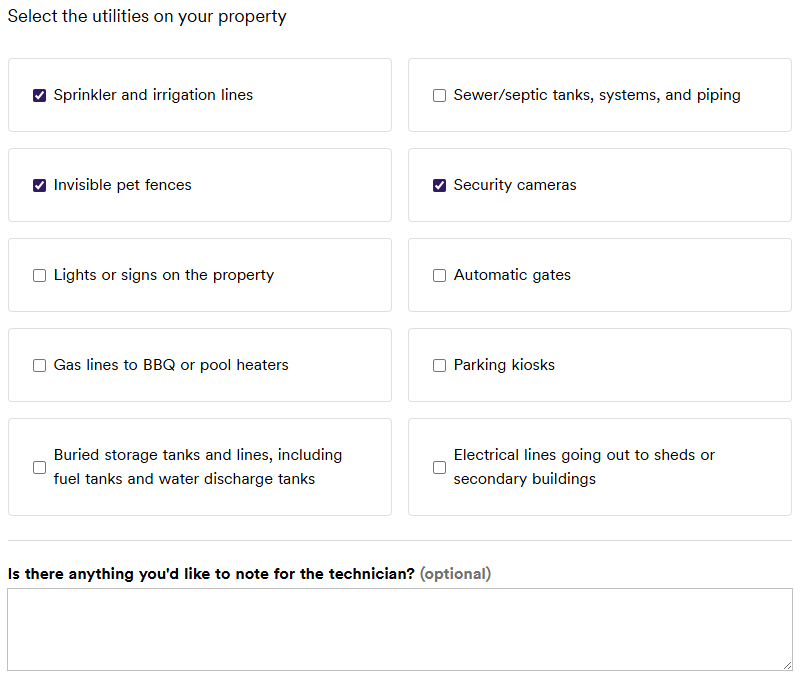
Utilities

  • You’ll be asked to check off any private utilities on your property (Like irrigation lines or invisible fences). Marking the utilities helps us avoid damage or disruption during installation.
  • Select Continue.
5. Set your installation preferences

Let us know where you'd like the fiber to enter your home.

ℹ️ We'll do our best to follow your preference, but may need to adjust for safety or accessibility.

  • Use the dropdown menu to select your preferred fiber entry point (the area where the line should come into your home).
  • Select Continue to billing to move on.
6. Create an account or sign in

Almost there! Create your account and add your payment details or sign in to an existing account.

Create your account

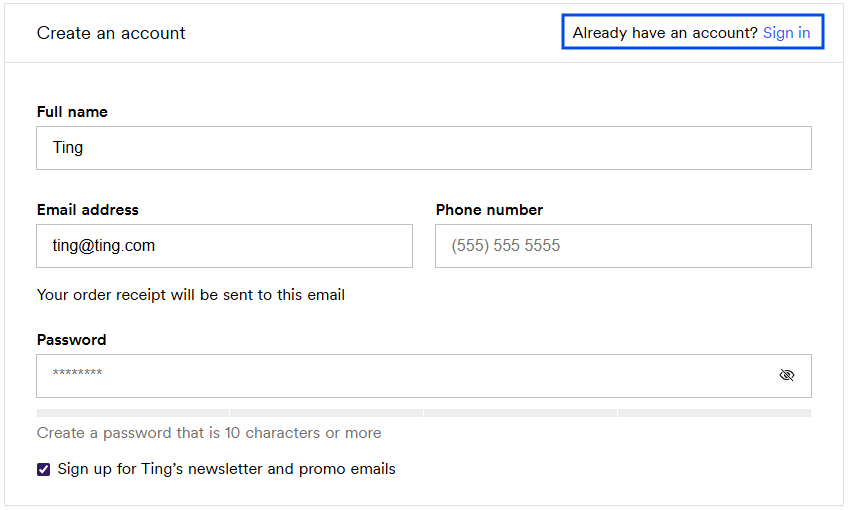
  • Enter your full name, email address, phone number and create a password.

Sign in

  • Already have a Ting account? Click Sign in at the top right.

Select your payment option

  • Choose to pay by credit card or Bank Account (ACH).
  • Select Review my order to move on.
7. Review your order

Double-check that everything looks right before you place your order.

  • If something’s off, click ← Back to payment details to make changes.
  • Agree to Ting’s Terms of Service and Privacy Policy.

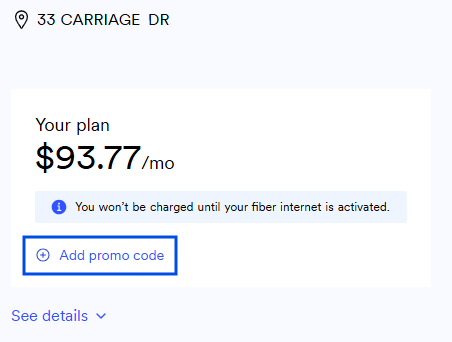
Have a promo code?

  • Click + Add promo code on the right to enter it now.
  • Select Place order and schedule installation.
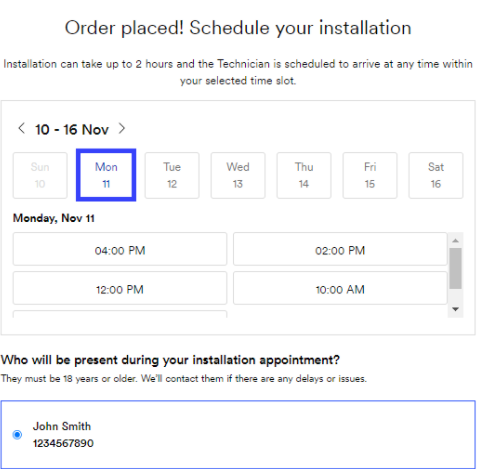
8. Choose your perfect time

Now for the fun part! Schedule your install.

Set a date and time

  • Use the calendar to choose a date and time that works best for you.
    • Appointments last about 90 minutes.
  • Don't see a date that works? Use the arrow (>) to scroll forward through more options.

Installation Contact

  • Select the person that will be home for the entire installation.
    • They must be 18 or older.
9. Confirm your installation appointment

You’ll see a summary of your scheduled appointment.
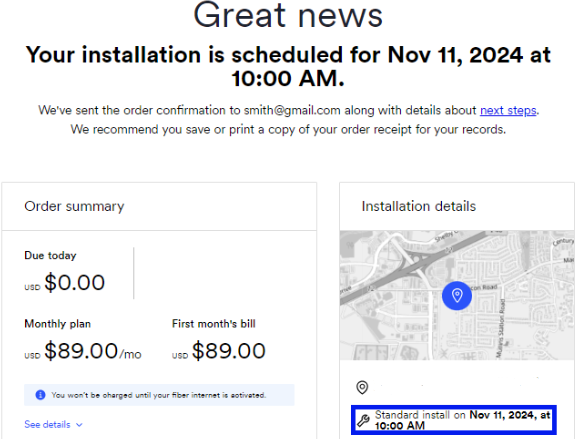
  • Review the details one last time.
  • Click Confirm to lock it in.
  • We'll also email you a confirmation with everything you need to know.
Reminder

On installation day, we ask that a designated person over 18 be available for the entire 90-minute appointment. All pets should be secured—for their safety and ours.

Already ordered? Schedule your installation

Already set up your Ting account? Let’s book your installation appointment.

1. Start from your Ting dashboard

Log in to your Ting account dashboard.
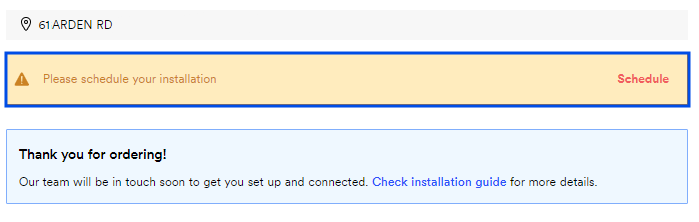
  • Sign in to your Ting account
  • On your Plan overview page you’ll see the option to schedule your installation.
2. Choose your date and time

Let's set a date to schedule your install.

Set a date and time

  • Use the calendar to choose a date and time that works best for you.
    • Appointments last about 90 minutes.
  • Don't see a date that works? Use the arrow (>) to scroll forward through more options.

Installation Contact

  • Select the person that will be home for the entire installation.
    • They must be 18 or older.
3. Confirm Your Appointment

You’ll see a summary of your scheduled appointment.
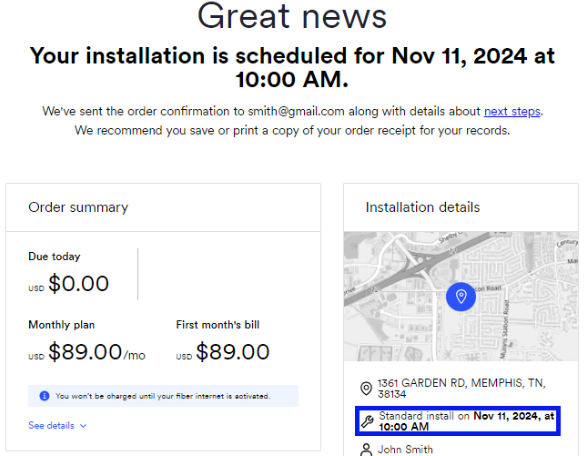
  • Review the details one last time.
  • Click Confirm to lock it in.
  • We'll also email you a confirmation with everything you need to know.
Reminder

On installation day, we ask that a designated person over 18 be available for the entire 90-minute appointment. All pets should be secured—for their safety and ours.

Need to update your appointment?

‍You can modify or cancel your installation appointment anytime from your Ting account.

Other Articles in this Section
Bringing your Own Router to your Ting
Modify or Cancel Your Installation Appointment
Schedule your Installation Appointment in Memphis
Home 2 Gigabit Router Options
  • Ting Internet
  • Ting Internet Status
  • Ting Mobile
  • Privacy
  • Terms