Help center
Contact Us
Help center
Contact Us

Help Center - Mobile

Getting Started

Activating a new number on Ting
Articles in this section
Checking the status of your number transfer
How to transfer your number to Ting
Locating your previous carriers porting information
Prev
2 / 2

Activating a new number on Ting

In this article

Activating your new number

Getting a new number with Ting is quick and easy. Follow these steps to activate your number and start enjoying Ting Mobile.

What you’ll need

  • A Ting SIM card.
  • A compatible phone or an eSIM-capable device.

If you're activating a new phone, set up your phone before you begin.

Activating your new number

1. Start on Tingmobile.com

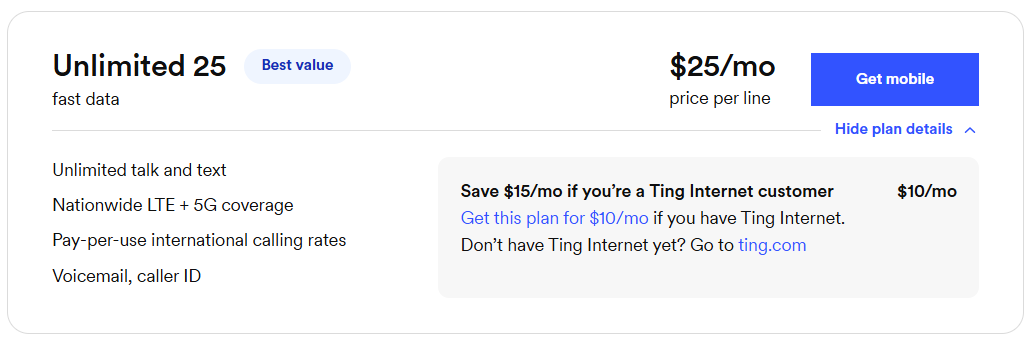
  • Select Compare plans in the top-left corner.
    • Want to see more of our plans? Click See all plans.
  • Select Get Mobile next to the plan you are interested in.

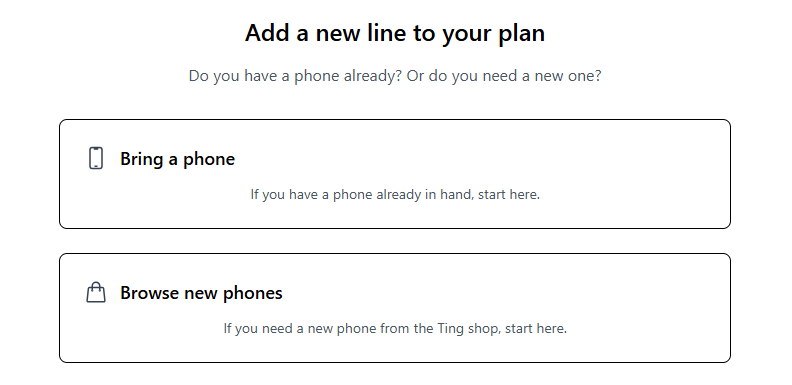
2. Select your device option

  • Already have a phone? Select Bring a phone. Have it handy to check compatibility in the next step.
  • Need to purchase a new phone? Select Browse new phones.

3. Check your phone’s compatibility

  • Enter your phone’s IMEI if you're bringing a phone. Select Check.
    • Need a hand? Find your IMEI.

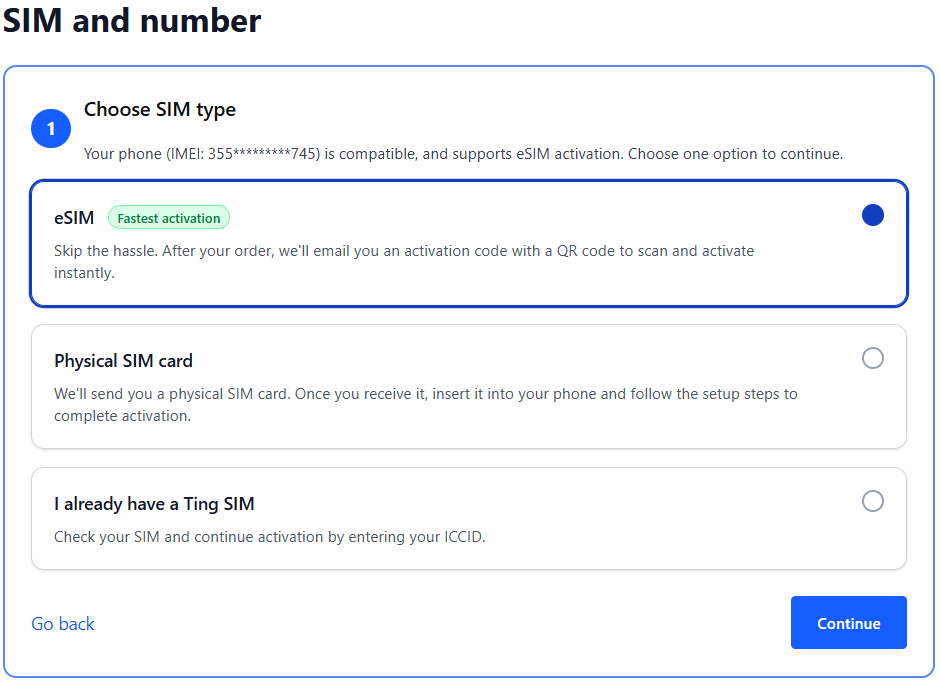
4. Get a SIM or check your SIM card

  • If your phone is eSIM compatible, you can select the option for eSIM. We'll send you an email with the details after activation.
  • If you prefer using a physical SIM:
    • Select Physical SIM card to order a new SIM. We'll mail it to you.
    • Already have a Ting SIM? Select I already have a Ting SIM. We'll ask for the SIM number in the next step.

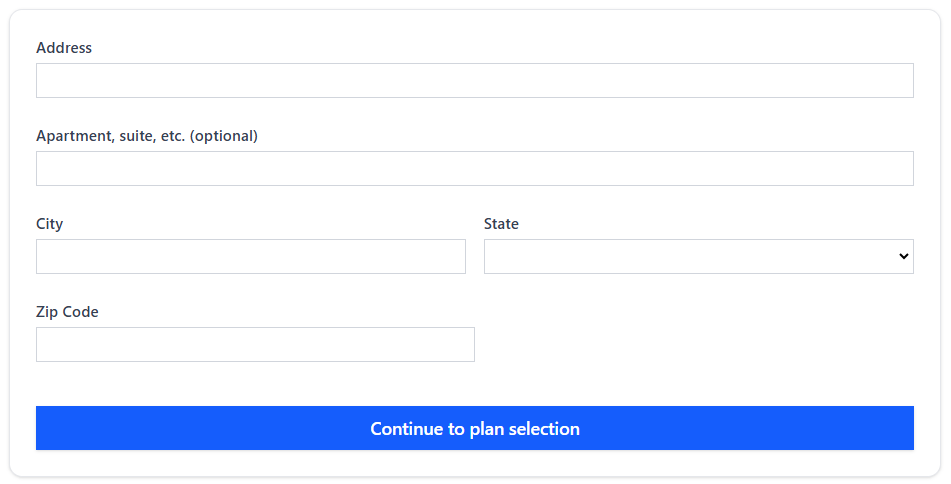
6. Verify coverage

  • Enter your home address to confirm Ting service is available in your area. Select Continue to plan selection.

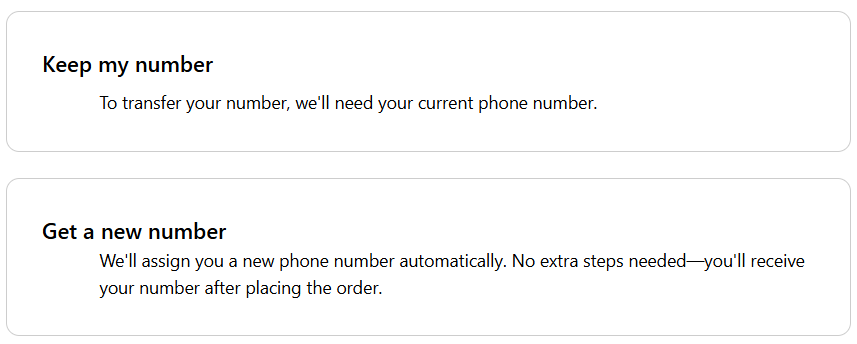
5. Select your number option

  • Select Get a new number.
  • Select from the available list of area codes.

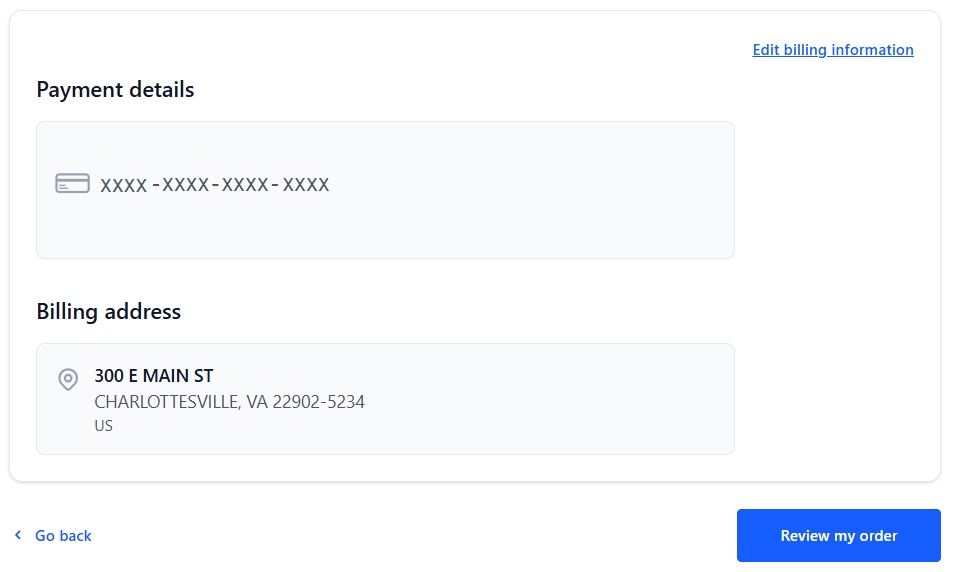
6. Enter your billing information

  • This will bet the card we use for automatic payments. Once your payment information is entered, click Review my order.

7. Review and confirm

  • Double-check your details, agree to the terms of service and click Activate.
  • If any of your details need to be changed, select See an error? Go back.

8. Complete your eSIM activation (if applicable)

  • In some cases, your phone may automatically download your eSIM.
  • If you don't see the automatic download, complete your eSIM activation by scanning the code and follow the prompts to finish activation.

Other Articles in this Section
Transferring a number to a new Ting account
Activating a new number on a new Ting account
Ordering your Ting SIM card
Ordering a phone from the Ting Shop
How do I activate my phone?
Completing your eSIM setup
How to transfer your Ting number to an eSIM
Number transfer FAQ
Updating your number transfer request
Can I bring my current phone to Ting?
Unlocking your phone: What you need to know
Should I cancel my current service before switching to Ting?
Next
1 / 2
  • Ting Internet
  • Ting Internet Status
  • Ting Mobile
  • Privacy
  • Terms