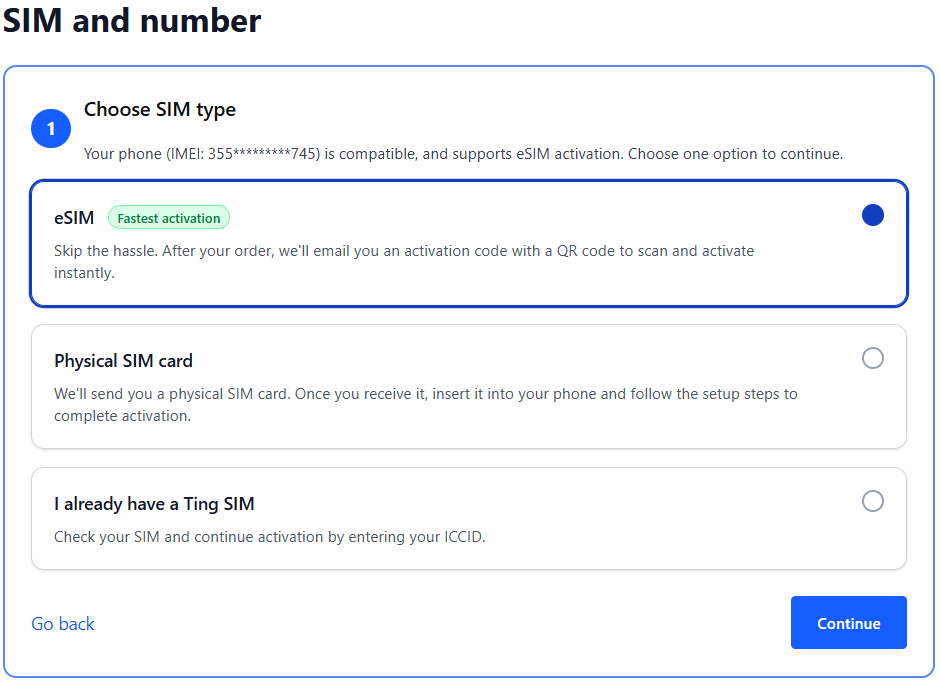
If your phone is eSIM compatible, you can select the option for eSIM. We'll send you an email with the details after activation.
If you prefer using a physical SIM:
Select Physical SIM card to order a new SIM. We'll mail it to you.
Already have a Ting SIM? Select I already have a Ting SIM. We'll ask for the SIM number in the next step.
Select Continue to move to the next step.
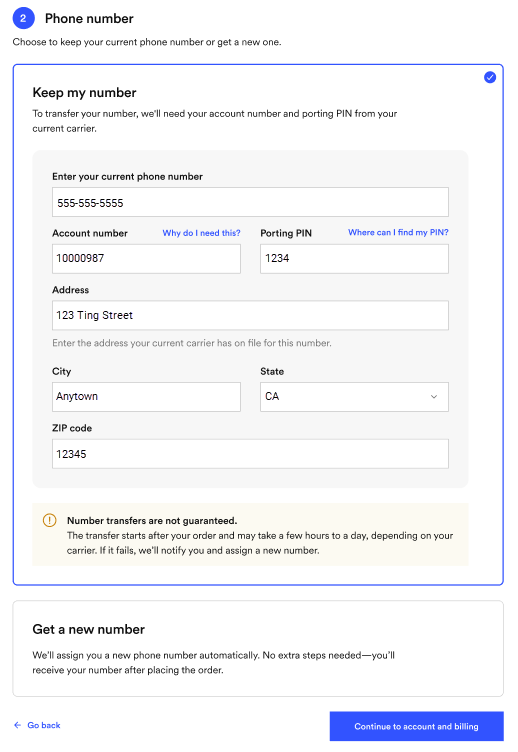
8. Select your number option
Select Keep my number.
Enter your current phone number, account number, porting PIN (sometimes called an account PIN) and billing address from your current provider.
Your number transfer can take up to 24 hours to complete. Your current carrier reviews your details before approving the transfer and releasing your number.
9.Create your account
Enter your name, email and password.
Save your login details—you’ll need them to sign in later.
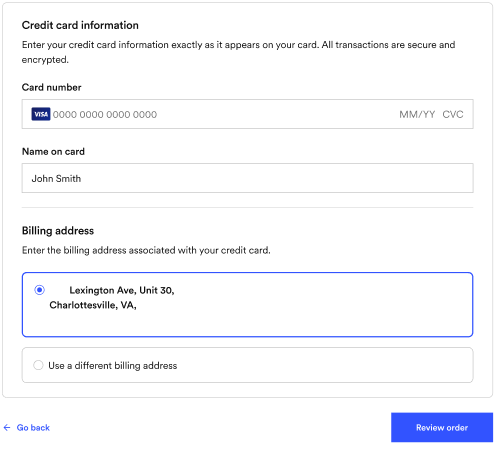
10. Enter your billing information
This will bet the card we use for automatic payments.
Once your payment information is entered, click Review order.
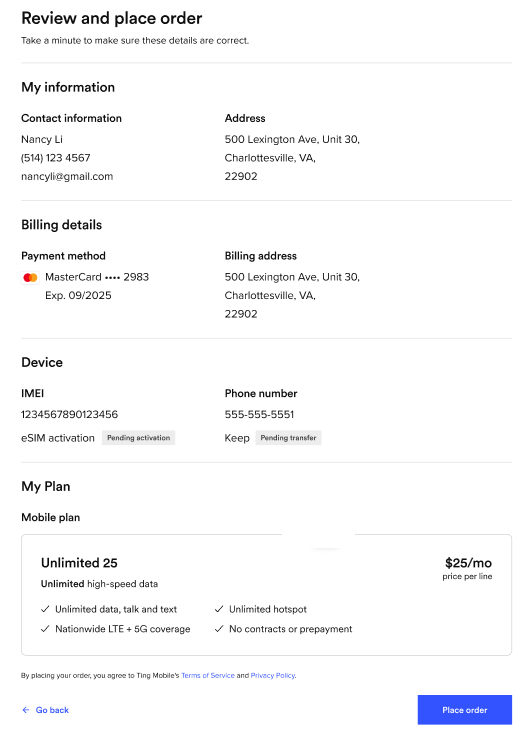
11. Review and confirm
Double-check your details, agree to the terms of service and click Place order.
If any of your details need to be changed, select See an error? Go back.
12. Complete your activation
Once your transfer is complete, you’ll get a confirmation email. This can take up to 24 hours if all your information is correct.
If there’s an issue with your details, we’ll reach out so you can update them in your Ting account.